


Building professional relationships is valuable, but keeping track of every person you meet can quickly become difficult. Between business meetings, conferences, networking events, emails, and social media, contact information can end up scattered across different platforms. Without a proper system, important connections may get overlooked.
Learning how to organise contacts helps you maintain meaningful relationships, find the right people when opportunities arise, and manage your professional network more effectively.
How to Organise Contacts?
Whether you are a business owner, event professional, freelancer, or job seeker, a structured contact management system can make networking more productive.
1. Choose a Central Place to Store Your Contacts

The first step is to bring your contact information together. Instead of saving details in multiple phone address books, spreadsheets, email accounts, and business cards, choose one central platform.
You can use a contact management app, spreadsheet, customer relationship management (CRM) system, or digital address book. The right option depends on the size of your network and how frequently you interact with your contacts.
For a small professional network, a spreadsheet may be sufficient. Businesses managing hundreds or thousands of relationships may benefit from CRM software that supports contact histories, reminders, and communication tracking.
2. Categorise Contacts Based on Their Relationship
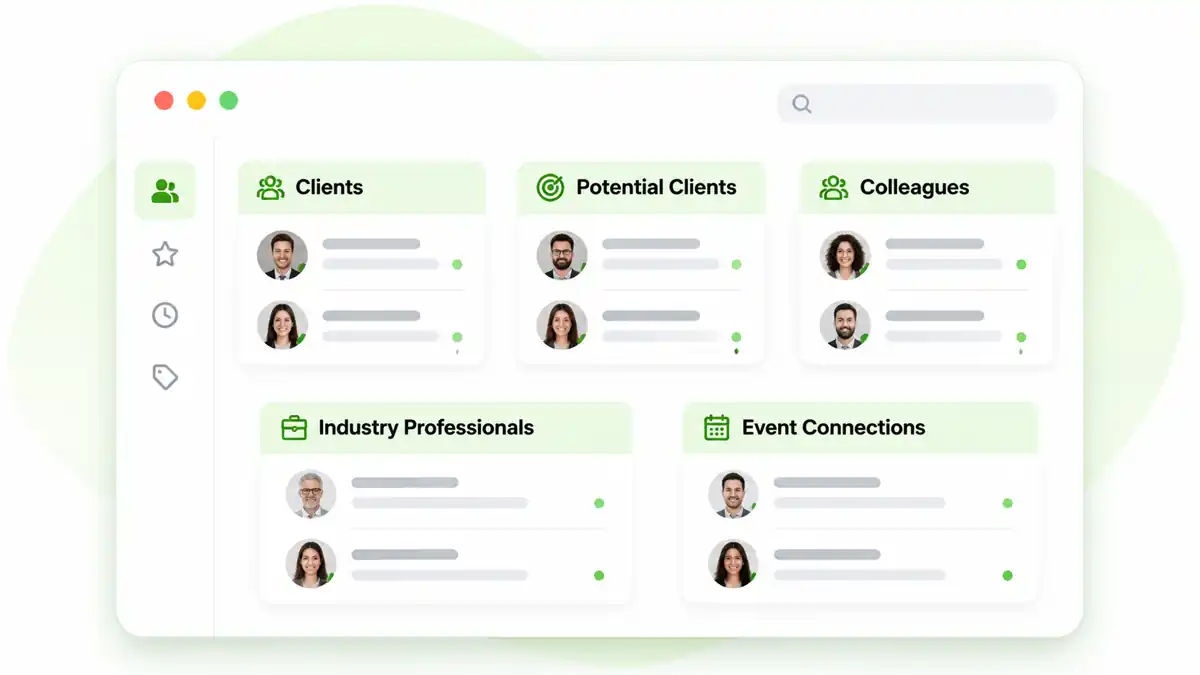
A long contact list is not particularly useful if you cannot quickly identify the people you need. Organising contacts into relevant categories makes searching and follow-ups easier. Consider creating groups such as:
Clients and customers: People who currently purchase your products or services.
Potential clients: Prospects who may become customers.
Colleagues and team members: People you work with regularly.
Industry professionals: Experts, consultants, and business owners in your field.
Event connections: People you meet at conferences, exhibitions, and networking events.
Personal contacts: Friends, family members, and acquaintances.
You can also use tags to identify specific interests, industries, locations, or professional roles. This approach makes it easier to find relevant people without going through your entire contact list.
3. Save Complete and Consistent Contact Information
A contact's name and phone number may not be enough to maintain a useful professional relationship. Whenever possible, save additional details that help you remember who the person is and how you connected. Your contact database can include:
| Contact detail | Why it matters |
|---|---|
| Full name | Identifies the person |
| Job title | Shows their professional role |
| Company | Provides business context |
| Email and phone number | Makes communication easier |
| LinkedIn profile | Helps you reconnect professionally |
| Industry and location | Supports relevant networking |
| Date and place of meeting | Helps you remember the connection |
| Notes and interests | Makes future conversations more personal |
Use a consistent format for every entry. For example, avoid saving one person's name as their full name and another as a nickname unless that is how they prefer to be addressed.
4. Use Digital Tools to Simplify Contact Management

Manually maintaining a large contact list can take considerable time. Digital tools help organise information, search records, identify duplicates, and keep details accessible across devices. Some useful options include:
Google Contacts: Useful for storing and syncing personal and professional contact information.
Microsoft Outlook: Helps manage contacts alongside email and calendar activities.
HubSpot CRM: Offers contact records, communication tracking, and tools for managing customer relationships.
Airtable: Allows users to build customised contact databases and organise information using different views.
Choose a tool that matches your actual requirements rather than adopting a complicated system you will struggle to maintain.
For professionals who meet new people through conferences and business events, platforms such as Netwoor AI can also support discovering relevant connections and making professional networking more organised.
5. Remove Duplicate and Outdated Contacts
Over time, contact lists become cluttered with duplicate entries, incorrect phone numbers, outdated job titles, and people you no longer need to contact.
Schedule a regular review to identify and correct these issues. Check whether the same person appears under different names or email addresses. Update information when someone changes their company, role, or contact details.
Before deleting a record, consider whether it contains useful communication history or business information. Archiving inactive contacts may be a better option than permanently removing them.
A clean professional contact list makes it easier to find accurate information and reduces confusion when you need to reach someone.
6. Set Reminders for Follow-Ups
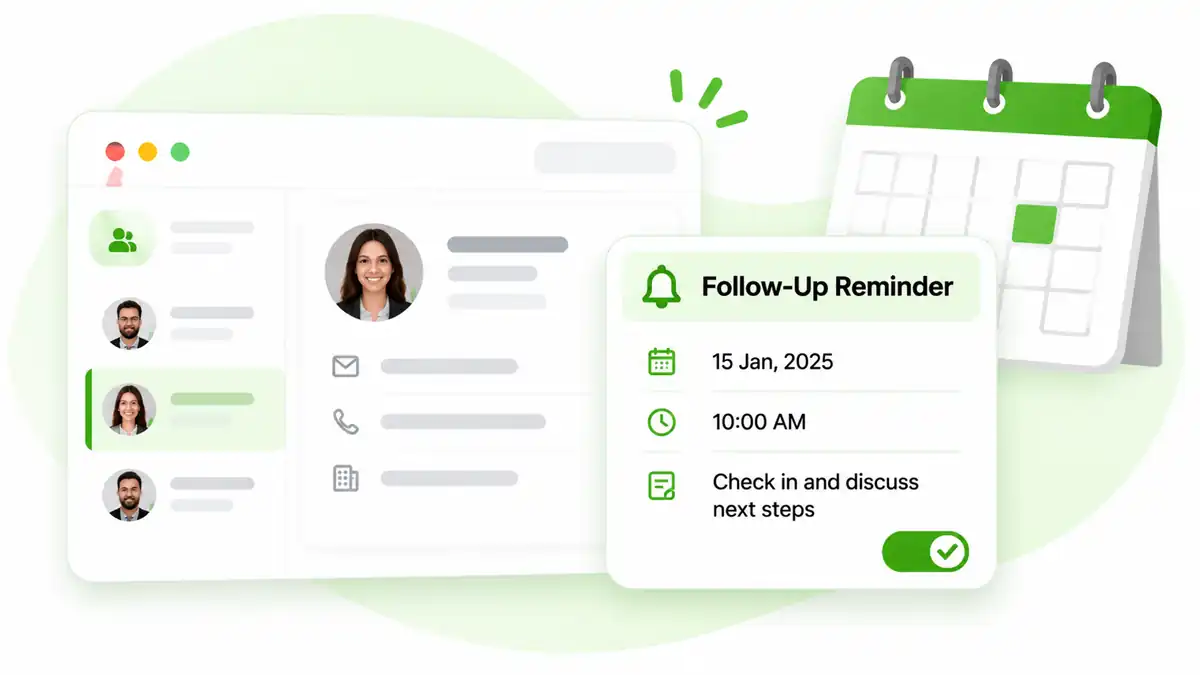
Organising contacts is not just about storing information. It is also about maintaining relationships.
After meeting someone at an event or receiving a business introduction, add a short note about your conversation. You can also schedule a reminder to send a follow-up email, share a useful resource, or arrange another meeting.
For example, if you meet a potential business partner at a conference, record what you discussed and set a reminder to reconnect within a few days. A thoughtful follow-up can help turn a brief introduction into a lasting professional relationship.
7. Review Your Contact List Regularly
Contact management should be an ongoing habit rather than a one-time task. Set aside time every month to review your records, update missing information, remove duplicates, and organise new connections.
You can also evaluate whether your categories and tags are still useful. As your business or professional network grows, your contact management system may need adjustments.
The goal is to create a system that remains simple, accurate, and easy to use.
Conclusion
Knowing how to organise contacts can make a significant difference in how you manage professional relationships. By choosing a central platform, categorising connections, maintaining accurate information, and following up consistently, you can turn a scattered list of names into a valuable professional network.
The most effective system is one you can maintain regularly. Start with a simple structure, use digital tools where they add value, and make relationship-building part of your routine.
FAQs
1. What is the easiest way to organise a large contact list?
Use a contact management tool or CRM, create relevant categories, and remove duplicate entries regularly.
2. How often should I update my contacts?
Review your contact list monthly and update individual records whenever you receive new information.
3. What information should I save about a professional contact?
Save their name, job title, company, contact details, professional profile, meeting context, and relevant conversation notes.
4. Is a spreadsheet good enough for contact management?
Yes. A spreadsheet can work well for a small network, while larger teams may need CRM software with automation and collaboration features.
Get the next article in your inbox
Stay updated with practical insights, product updates, and networking tips — delivered straight to your inbox.